Recreate viral videos with CloneCut AI. Replace people, products, objects, or backgrounds while preserving the original motion and timing. Create your own viral-style videos online with ease.
Use multiple videos and images: up to 5 images with video, or 7 without. Add at least one item.
Reference Video0 videos selected
Reference Image0/7
Duration
Aspect ratio
Estimated cost: 50 credits10 credits per second at every resolution
Free accounts receive 50 credits and can create up to 5 seconds per video.
Before and After
Drag the line to compare the reference clip with a new visual version.
OriginalEdited
Drag to compare
0:000:00
Playback speed
VIRAL VIDEO INSPIRATION
Explore Clips You Can Make Your Own
See how a dance, product reveal, or cinematic transition can become a starting point for a different story. Choose a reference clip, then decide which visible element you want to change.
HOW IT WORKS
How to Recreate a Viral Video
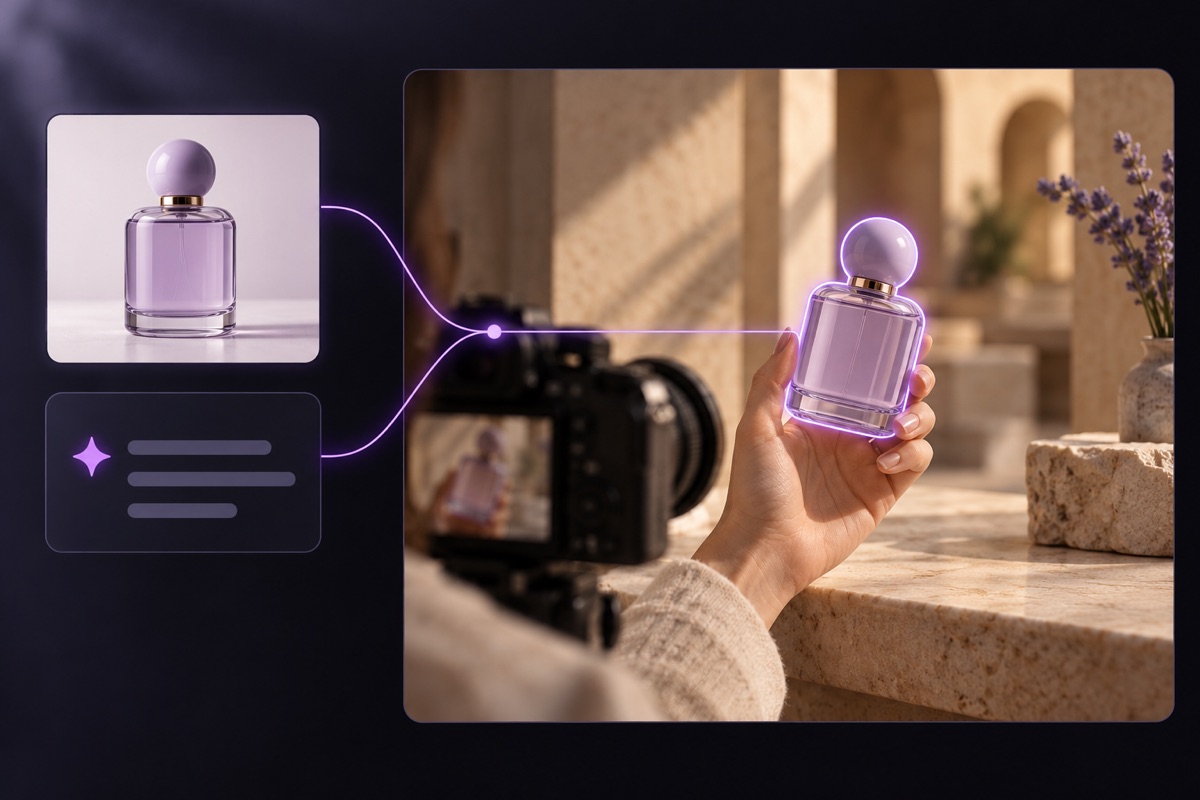
A reference video supplies the sequence; an image and clear instructions define your version. Focus on one visible change at a time.
01
Choose a Reference Video
Upload a short clip you can use, or pick an example with a clearly visible subject and recognizable movement.
02
Add Your New Look
Provide an image of the person, product, object, or setting you want in the scene. Specify what should stay.
03
Review the Variation
Select a model and output quality, check the credit quote, and review the new version for visual differences.
MAKE THE VERSION YOURS
A New Look, Familiar Movement
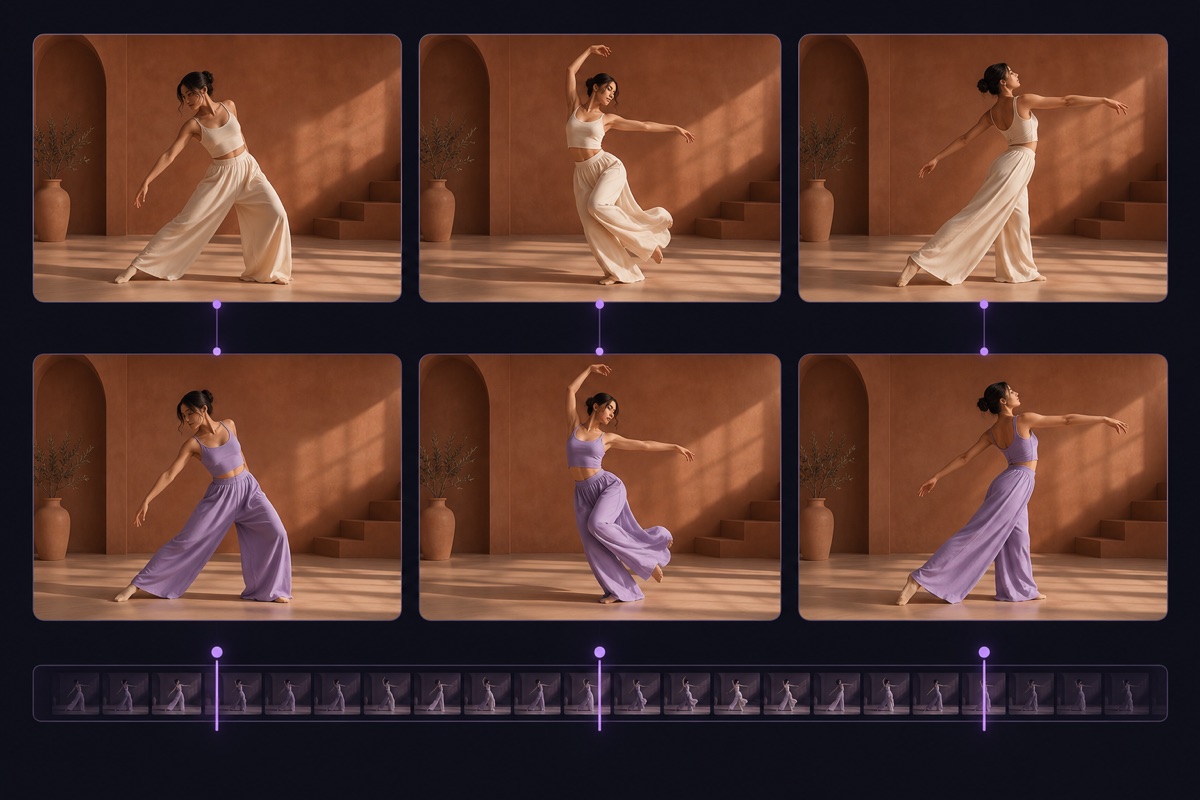
The reference clip sets the action and pacing. Your image and instructions change what viewers see, from a single featured product to the environment around a performer.
Choose What to Replace
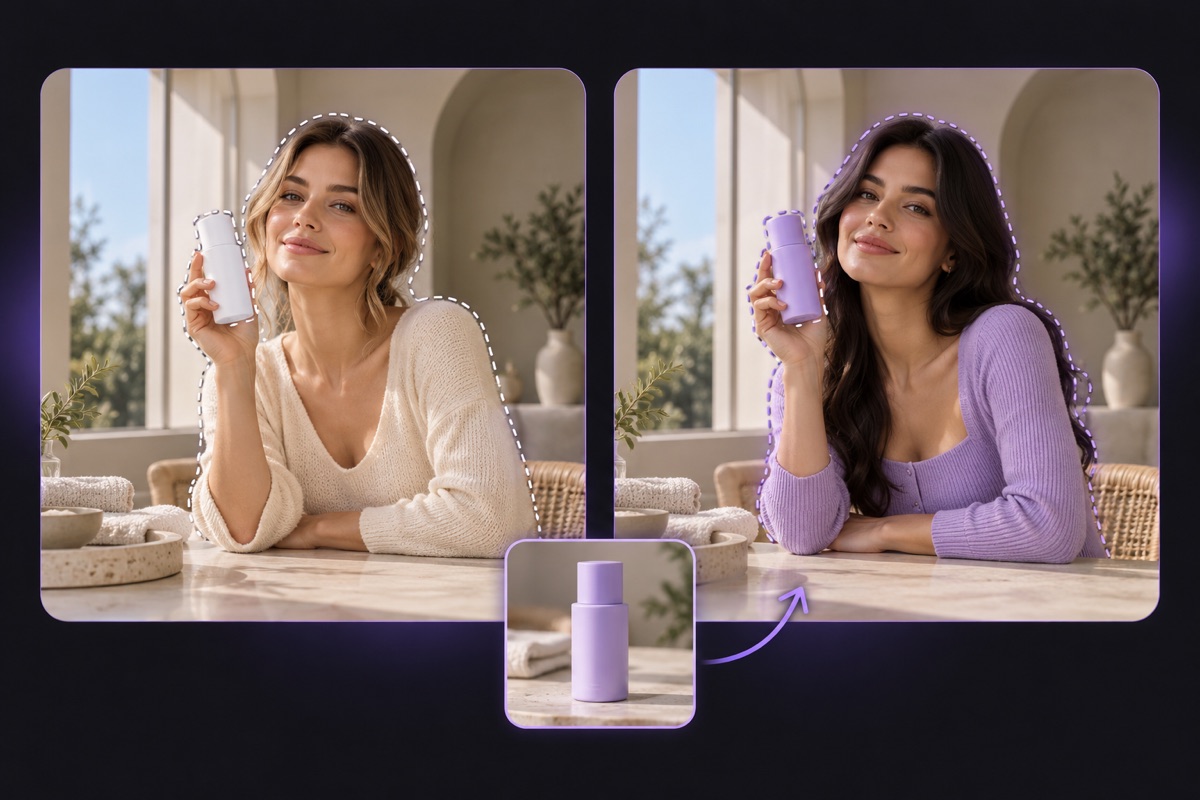
Identify one person, product, prop, or background. A precise target is easier to follow than a request to change everything in the frame.
Keep the Motion in View
Use the original action, camera path, and timing as a guide. Fast cuts or occlusion can still create differences, so check the output.
Describe What Must Stay
Tell the editor which details matter. For a product swap, you might retain the hand movement, tabletop, and camera angle.
What Can You Change in a Video?
People
Try a different on-screen character while using the reference performance for pose and movement.
Products
Show another item in a familiar product reveal and keep the surrounding action as a guide.
Objects
Swap a visible prop, specifying its color, shape, and material so the intended change is clear.
Backgrounds
Place the action in a new setting while describing which subject and camera movement to retain.
Choose Your Creation Plan
Save 50% · billed yearly
Save 50%
Lite
$29$14.50/month
Billed yearly: $348$174/year
For casual creators
96,000 credits, valid for 1 year
100 chats + 20 media analyses per month
No watermark
Complete privacy
Faster generation
Priority support
See the cost before generating
480p, 720p and 1080p video editing
Site credits returned on confirmed failures
Subscription plan
Up to 15 seconds per video
Renews yearly. Cancel anytime.
Save 50%
Pro
$59$29.50/month
Billed yearly: $708$354/year
For professionals
216,000 credits, valid for 1 year
300 chats + 60 media analyses per month
No watermark
Complete privacy
Faster generation
Priority support
See the cost before generating
480p, 720p and 1080p video editing
Site credits returned on confirmed failures
Subscription plan
Up to 15 seconds per video
Renews yearly. Cancel anytime.
Save 50%
Ultra
$119$59.50/month
Billed yearly: $1428$714/year
For power users
432,000 credits, valid for 1 year
600 chats + 120 media analyses per month
No watermark
Complete privacy
Faster generation
Priority support
See the cost before generating
480p, 720p and 1080p video editing
Site credits returned on confirmed failures
Subscription plan
Up to 15 seconds per video
Renews yearly. Cancel anytime.
FAQ
AI Video Cloning Questions
How does CloneCut AI video cloning work?
Start with a reference clip for action and timing, add an image for the new look, and describe the element to replace. The intended result is your own variation of the scene, not a frame-for-frame duplicate.
Can I use my own footage as the reference?
Yes. Use footage you have permission to edit. A short clip with a clearly visible subject gives you a stronger starting point for replacing it.
How do I make the video my own?
Choose a distinct person, product, object, or setting and describe it in your edit brief. For example, change the featured bottle while keeping the hand movement and camera angle.
Which parts of a viral video can I change?
You can target people, products, objects, or backgrounds. Begin with a specific visible element, then use a reference image to show what should appear in its place.
Will the new video keep the original motion and timing?
The reference guides motion, camera movement, and pacing, but AI output is not frame-perfect. Fast action, occlusion, or frequent cuts may produce differences; review the result.
What kind of clip should I choose?
Short, well-lit footage with a clearly visible subject is a practical starting point. If the subject disappears behind other objects or the shot cuts repeatedly, the replacement is harder to control.
How do I pick a reference image?
Show the desired subject or setting clearly. Similar camera angle and lighting can make the intent easier to communicate than a distant or heavily stylized reference.
Can I change a product without changing the person holding it?
Describe the product as the only replacement and explicitly preserve the person's hands, action, and the rest of the scene. The result still needs a visual review.
Can I explore the editor before paying?
You can browse examples and inspect the editing controls. Generating a video requires credits and an account on the connected service.
Are credit packs available without a subscription?
The pricing options include one-time packs alongside monthly and yearly plans. Compare the available balances and terms before choosing.
When will I know the cost of a video?
A final cost depends on model, duration, and output resolution. Check the task quote before confirming generation rather than estimating from the plan price alone.
What happens if a generation fails?
The service states that credits are returned for confirmed failures. If a task is still processing, check its status before assuming that it has failed.
Can I clone a viral video I found online?
Use online videos for inspiration only unless you have the rights to edit and publish that footage. Choose permitted source material and make a distinct version with your own visual changes.
Create Your Version of a Viral Video
Pick a reference clip, show the look you want, and specify which movements and details should carry through.