
CREATE VIRAL AI VIDEOS
CloneCut: Clone Viral Videos with AI
Upload a reference video and image to create your own version. Replace people, products, objects, or backgrounds while aiming to preserve the original motion, camera movements, and timing.
VIRAL VIDEO INSPIRATION
Explore Clips You Can Make Your Own
See how a dance, product reveal, or cinematic transition can become a starting point for a different story. Choose a reference clip, then decide which visible element you want to change.
HOW IT WORKS
How to Recreate a Viral Video
A reference video supplies the sequence; an image and clear instructions define your version. Focus on one visible change at a time.
Choose a Reference Video
Upload a short clip you can use, or pick an example with a clearly visible subject and recognizable movement.
Add Your New Look
Provide an image of the person, product, object, or setting you want in the scene. Specify what should stay.
Review the Variation
Select a model and output quality, check the credit quote, and review the new version for visual differences.
MAKE THE VERSION YOURS
A New Look, Familiar Movement
The reference clip sets the action and pacing. Your image and instructions change what viewers see, from a single featured product to the environment around a performer.
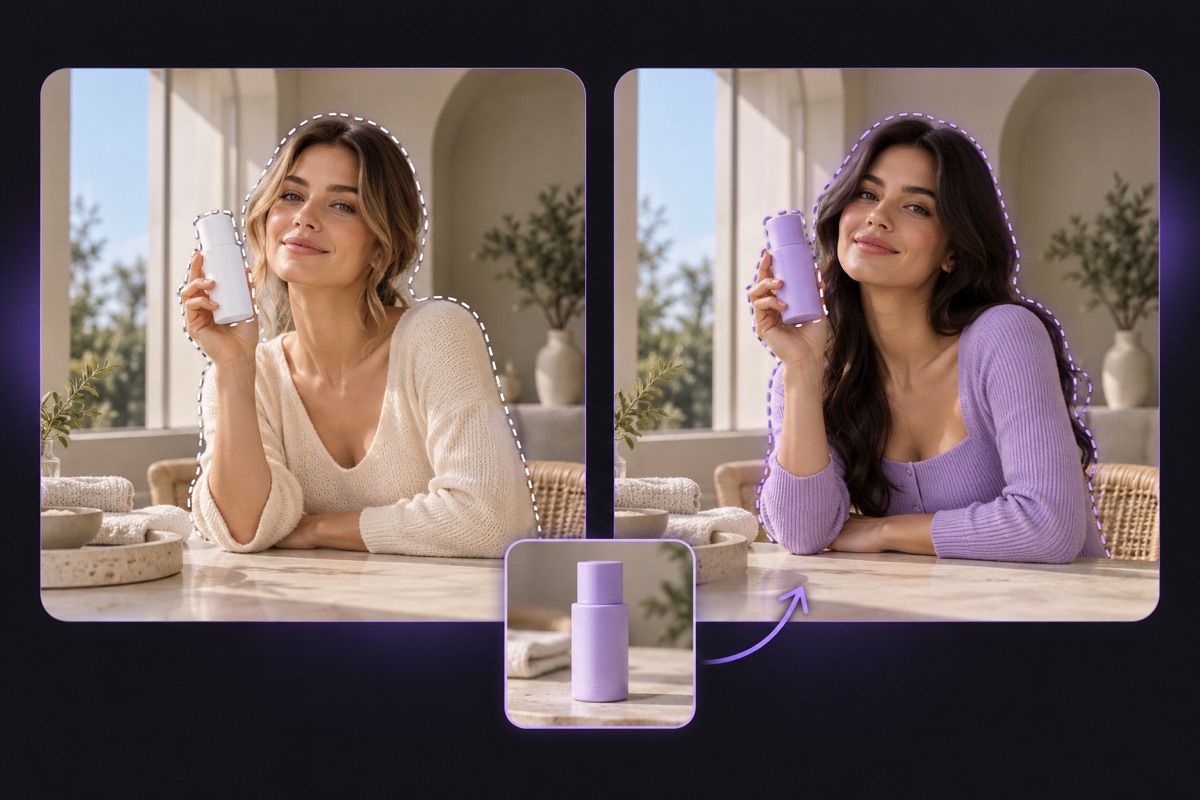
Choose What to Replace
Identify one person, product, prop, or background. A precise target is easier to follow than a request to change everything in the frame.
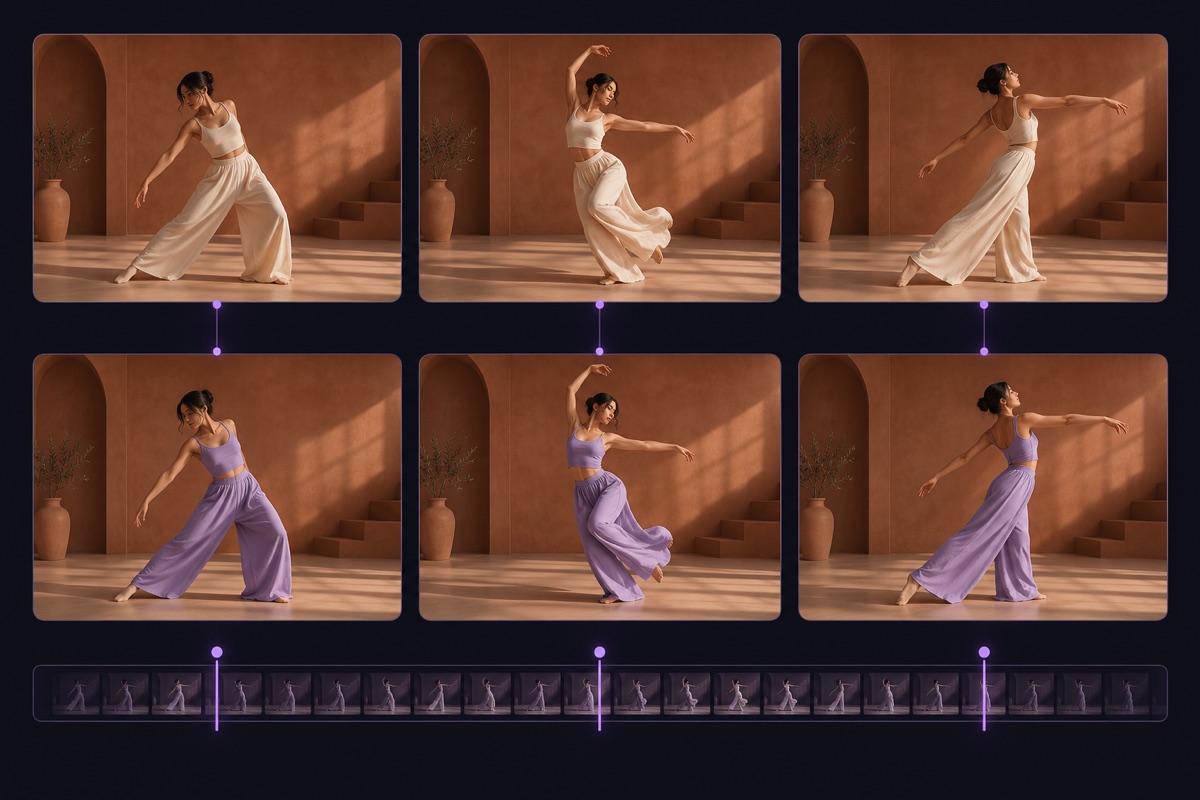
Keep the Motion in View
Use the original action, camera path, and timing as a guide. Fast cuts or occlusion can still create differences, so check the output.
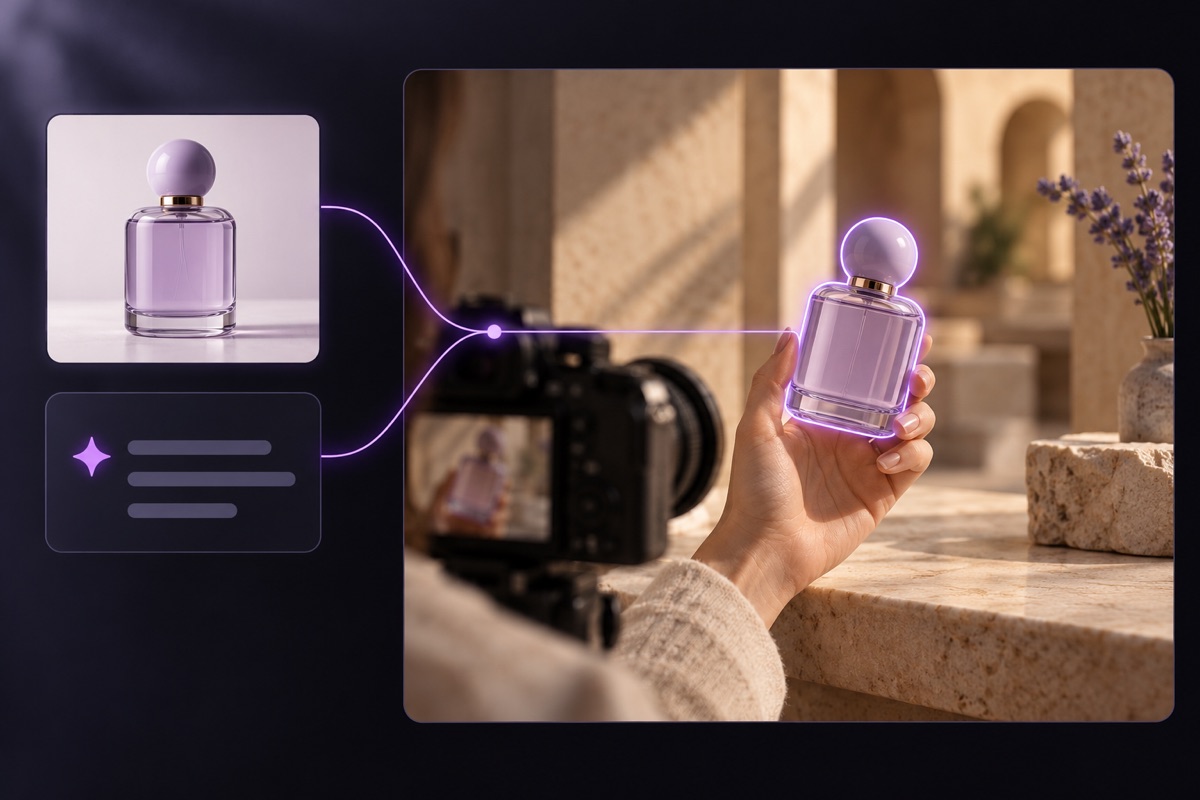
Describe What Must Stay
Tell the editor which details matter. For a product swap, you might retain the hand movement, tabletop, and camera angle.
What Can You Change in a Video?
People
Try a different on-screen character while using the reference performance for pose and movement.
Products
Show another item in a familiar product reveal and keep the surrounding action as a guide.
Objects
Swap a visible prop, specifying its color, shape, and material so the intended change is clear.
Backgrounds
Place the action in a new setting while describing which subject and camera movement to retain.
Create Your Version of a Viral Video
Pick a reference clip, show the look you want, and specify which movements and details should carry through.